Simple Project Time Trackerfor Teams & Client Work
Track hours spent on every project and task automatically. Keep projects on budget, see who is working on what right now, and bill clients with total confidence.

Everything You Need to Track Project Hours
Know exactly where work time goes. Stop guessing hours and keep client projects profitable from start to finish.
Track Time on Every Project & Task
See exactly where your team spends their working hours. Assign time to specific clients and projects with project time tracking.
Real-Time Project Budget Alerts
Set hour or budget targets for any project. Tracknesty alerts you at 80% and 100% capacity to prevent margin erosion via project cost tracking software.
Visual Kanban Boards with Timers
Move tasks smoothly across columns. Track time right on each card, check off subtask lists, and leave comments without switching apps using employee time tracking.
Billable vs. Non-Billable Hours
Separate client deliverables from internal chat and admin tasks. Create clean invoices where every hour is backed by verifiable proof with time tracking and invoicing software.
Heuristic Anti-Bypass Protection
Ensure project hours represent genuine output. Tracknesty detects hardware USB mouse jigglers, virtual machine loops, and idle bypassers via anti-bypass protection.
Encrypted Cloud Project Archives
Maintain tamper-evident records of completed milestones, client sign-offs, and approved timesheets safely archived in team cloud storage.
Clients love working with teams that provide clear proof of work. Tracknesty lets you generate clean, one-click PDF summaries showing exact project hours, finished tasks, and billable amounts so clients pay faster without questions. For live oversight during project sprints, TrackNesty's live screen monitoring software gives managers instant visibility to assist team members during complex milestones.
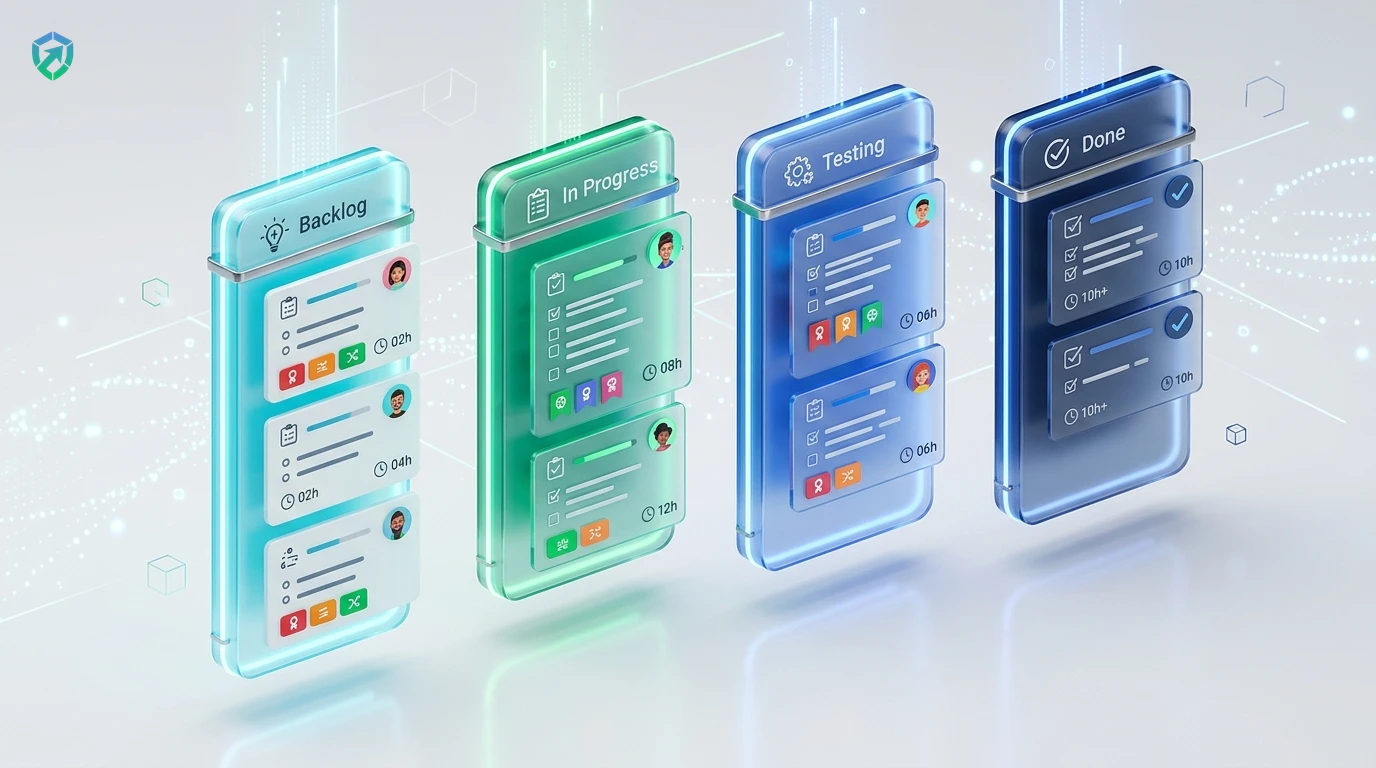
Visual Kanban Boards with Built-In Task Timers
Organize your team’s work easily. Move tasks between Backlog, In Progress, Testing, and Done while the timer tracks hours on each card automatically.
- Instant Task Timers: Click start on any task card to start tracking time immediately via employee time tracking.
- Full Task Context: Add task checklists, due dates, priority tags, and file attachments without app switching.
- Real-Time Burndown: See total hours logged on each card without running separate spreadsheet reports.
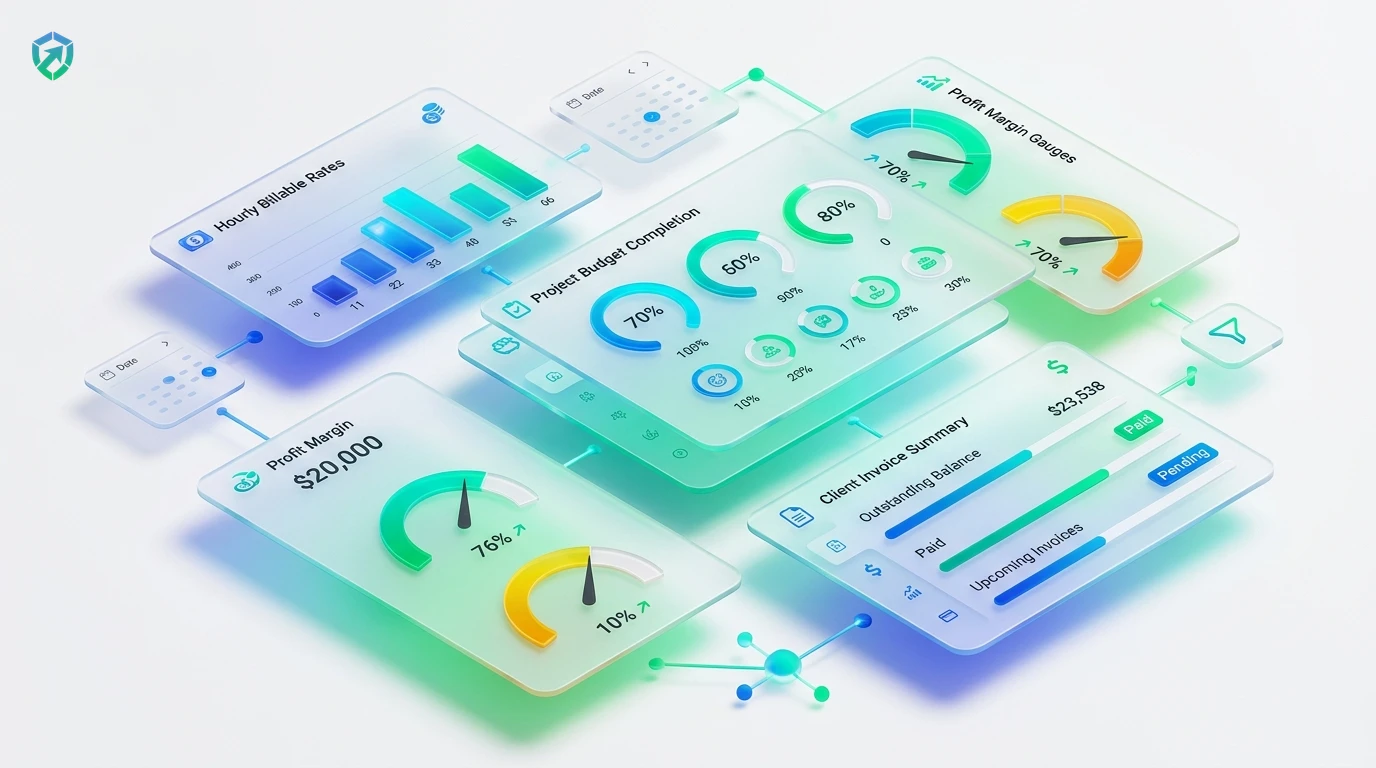
Real-Time Project Budget & Client Cost Tracking
Never let a client project run over budget. Set hour or dollar limits and see progress gauges update live as your team tracks their time.
- Automated Threshold Nudges: Get automated alerts at 80% and 100% of budget via project cost tracking software.
- Custom Billing Rates: Set different hourly rates for different team roles, contractors, or client accounts.
- Estimated vs Actual: Compare estimated task hours against actual time worked in workforce analytics.
Project Billable Hours & 1-Click Client Invoicing
Eliminate billing friction. Transform approved project hours into client-ready invoices with itemized task breakdowns and verifiable proof of work.
- 1-Click Invoicing: Generate branded PDF invoices instantly via time tracking and invoicing software.
- Proof-Backed Work: Attach optional timestamped screenshot receipts from our time tracker with screenshots.
- Contractor Reconciliations: Push billable team hours into payouts seamlessly with automated payroll.
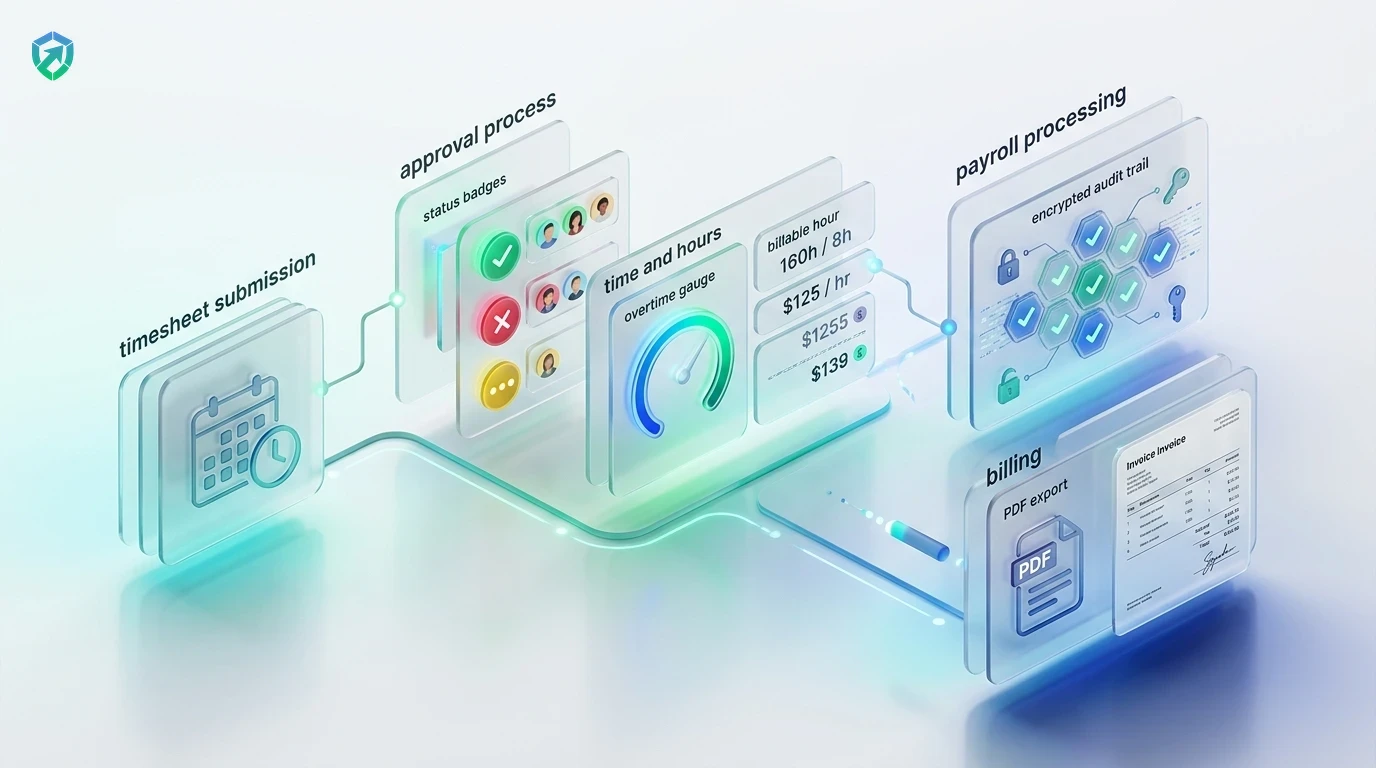
4-Step Project Delivery & Tracking Cycle
From initial project budget definition to verified client invoice payment.
Create Project & Budget
Set client contract limits, billable rates, and milestone delivery targets.
Assign Kanban Tasks
Break down deliverables into cards with checklists, due dates, and estimates.
Automatic Tracking
Team members track active work time with 1 click; idle time is paused automatically.
Bill Clients
Export verified invoices with itemized hours and proof of work in 1 click.
Tracknesty vs Spreadsheets vs Legacy Tools
See why modern teams switch from messy spreadsheets to Tracknesty project time tracker.
| Project Feature | Tracknesty Project Tracker | Excel & Google Sheets | Legacy Enterprise Tools |
|---|---|---|---|
| Project Tracking Method | Automatic 1-click timer linked to tasks & projects | Manual number typing from memory every Friday | Clunky multi-step timers that disrupt workflow |
| Integrated Kanban Boards | Built-in interactive boards with live card timers | None; completely disconnected from project work | Requires paying for separate Trello or Jira licenses |
| Project Budget Warnings | Automatic alerts at 80% and 100% burn thresholds | Formulas break easily; end-of-month budget surprises | Only available on expensive enterprise tiers |
| Billable vs Non-Billable Separation | 1-Click toggle with transparent realization rate metrics | Guesswork and unlinked spreadsheet cells | Complex configuration requiring dedicated admin setup |
| Client Invoice Generation | 1-Click branded PDF invoices backed by proof of work | Manual Word document formatting taking hours | Complex, rigid report builders without billing logic |
| Fake Jiggler & Idle Detection | Heuristic algorithms catch hardware USB jigglers | Completely blind to fake activity and time theft | Basic mouse-movement counters easily tricked |
| Pricing per Member | $5.00 / user / month (all features included) | Hidden costs of lost billable hours and overruns | $15.00 – $35.00 / user / month |
Engineered for Modern Project Workforces
See how developers, agency founders, and consultants rely on Tracknesty.
Sprint Velocity & Task Burndown
Link tracked hours to agile user stories and git tasks without disrupting coding focus using time tracking for software development.
Retainer Caps & Asset Delivery
Keep design sprints on schedule in Figma and Photoshop while preventing unbilled over-servicing with time tracking for marketing agencies.
Client SLA Tracking & Queue Attribution
Allocate technician hours to specific customer contracts and ensure SLA adherence via time tracking for BPOs.
Billable Realization & Dispute-Free Invoices
Deliver transparent, itemized proof of work that eliminates client billing arguments with project cost tracking software.
Frequently Asked Questions
Everything you need to know about project time tracking, budget pacing, and client invoicing.
How does Tracknesty track time on projects and tasks automatically?
You or your team simply pick the project or task you are working on, and Tracknesty tracks the active time automatically. If you step away for a break, it pauses automatically so every project hour is 100% accurate.
Can I set time and financial budgets for client projects?
Yes! You can set hour limits or dollar budgets for any client project. Tracknesty displays live burndown progress and triggers proactive alerts at 80% and 100% thresholds before unbilled over-servicing cuts into profit margins.
Does Tracknesty include visual Kanban project boards?
Yes! You can organize your tasks on visual Kanban boards (To Do, In Progress, Review, Done). Every task card shows tracked hours, checklist items, and assigned team members.
Can I download project reports and generate invoices for clients?
Yes! In one click, you can export clean PDF or Excel reports showing total hours, tasks finished, and billable amounts ready to convert straight into professional client invoices.
Can we separate billable project hours from internal administrative tasks?
Yes. Every project and task can be designated as billable or non-billable with one click, allowing agencies and consultants to measure their true billable realization rate.
How does live screen monitoring assist project supervisors?
Supervisors can view active employee screens in real time via live screen monitoring to verify work progress on complex project milestones and assist team members during challenging tasks.
Does Tracknesty log project hours when offline without internet?
Yes. Tracknesty logs all project hours with encrypted local caching. The moment an internet connection is restored, project and task logs sync automatically to the cloud.
How much does the project time tracker cost?
Tracknesty starts at just $5 per user per month (or $4.17/mo billed yearly). You get project time tracking, Kanban boards, timesheets, and attendance with a 7-day free trial.
Keep Every Client Project on Time & on Budget
Start tracking project hours automatically, stop budget leaks, and bill clients accurately with Tracknesty.