Reliable ServiceSimple & Transparent Employee Monitoring

Employee Monitoring Software Built for Remote Teams

Tracknesty is the all-in-one workforce platform built for modern remote teams, growing agencies, and hybrid companies. Run effortless employee time tracking, verify active progress with ethical employee monitoring software, and automate your team payroll β€” all from one simple dashboard.

βœ“ 7-day free trialβœ“ Instant accessβœ“ 5-minute setup
SJ
DC
MR
AL
Trusted by 1,200+ remote managers and BPO leaders
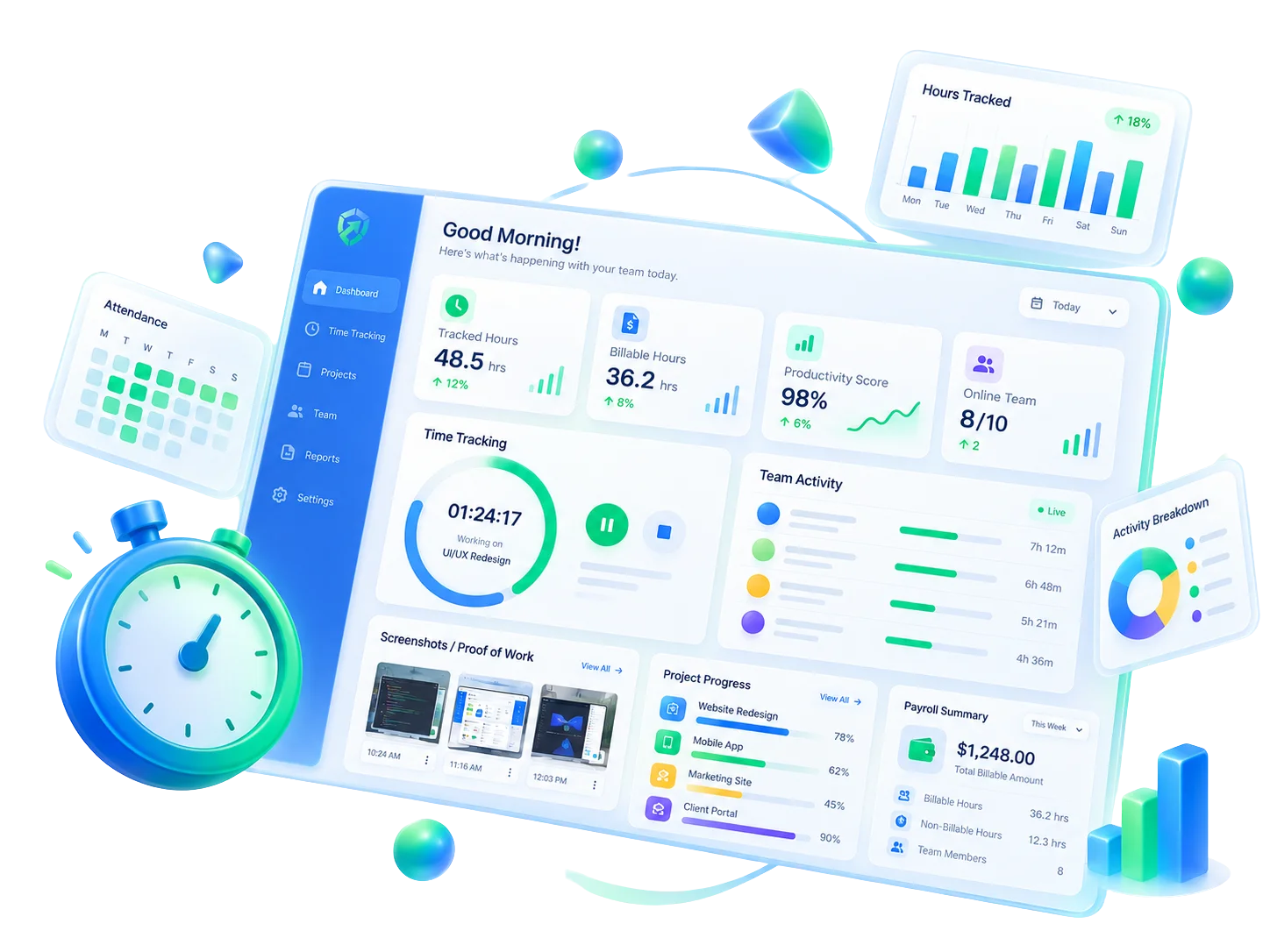
Tracknesty Employee Monitoring Software & Productivity Dashboard
Performance MetricsHigh-Scale Platform Benchmarks

Engineered for High Scale with Zero Desktop Drag

Features
Modules Live
12
Workforce Analytics Live
Comprehensive intelligence suite running simultaneously without background friction.
100%
Audit Accuracy
24 FPS
Live Stream
0ms
System Drag
Time Tracking & Idle DetectionActive
Proof-of-Work ScreenshotsActive
Live Screen Monitoring & Feed24 FPS
App & Domain AnalyticsActive
Anti-Bypass Hardware ShieldActive
Automated Payroll EngineActive
Uptime Guaranteed
SLA Guarantee
99.9%
High-Availability Uptime
Redundant cloud infrastructure with automatic global failover.
90 Days Continuous100% Operational
Support
Sync Live
24/7
Real-Time Data Streaming
Low-latency data sync across distributed teams.
Live WebSocket Engine< 50ms Latency
US-East
12ms
EU-West
24ms
AP-South
36ms
Platform Support
Windows 10 & 11
Windows Native
< 1% CPU Agent Overhead
Lightweight C++ client engine designed for stealth background performance without workstation lag.
TrackNesty Agent24 MB RAM (< 1% CPU)
Typical Legacy Trackers280+ MB RAM (6-8% CPU)
Unified PipelineTelemetry Streams Straight to Tracknesty

Everything Connects to Tracknesty

Every screenshot capture, attendance event, active application, and productivity signal streams directly into Tracknesty’s central workspace platform.
ScreenshotsAUTOMATED PROOF
AttendanceAUTO SHIFTS
Time TrackingLIVE TIMERS
Apps UsagePRODUCTIVE APPS
Domains & URLsWEB ACTIVITY
Live StreamREAL-TIME SCREEN
ProjectsTASK WORKFLOW
Inactive TimeIDLE DETECTION
Tracknesty Core Platform

TrackNesty

ALL-IN-ONE WORKSPACE INTELLIGENCE
Feature StudioWorkforce Analytics & Remote Team Management

Comprehensive Productivity Tracking & Monitoring

18 high-performance modules built directly into your centralized workspace. Designed for operational clarity without micromanagement.
Proof of work

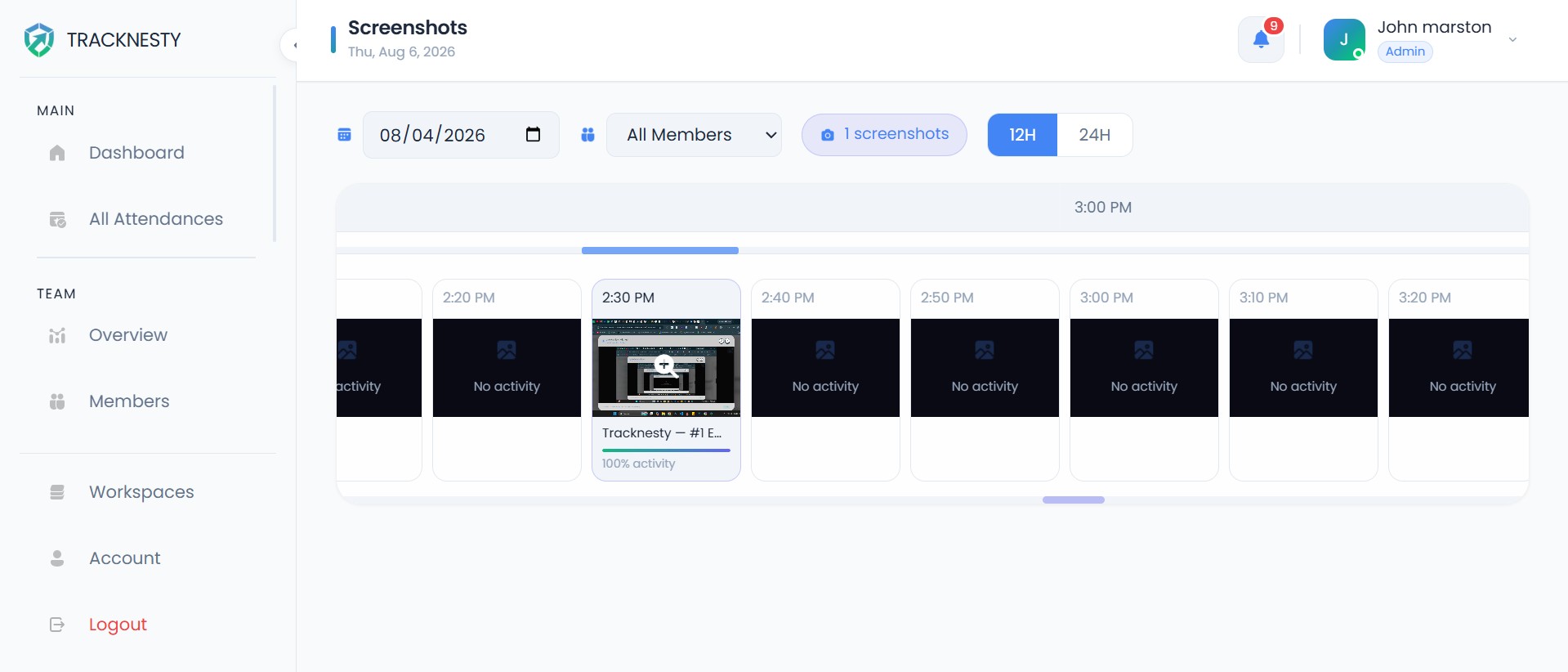
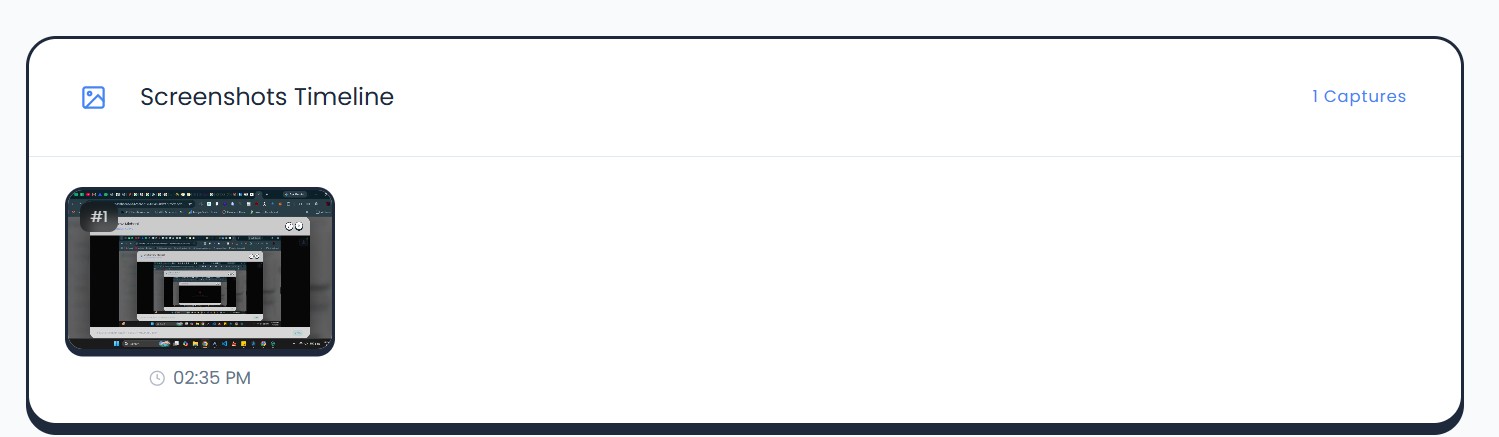
Screenshot Monitoring

Automated desktop screenshot captures at customizable fixed or randomized intervals (every 10 to 60 minutes). Pair with our time tracker with screenshots to review visual proof chronologically, protect client trust, and safeguard team privacy with sensitive data blurring.
Time tracking with screenshotsRandomized intervalsSensitive data blurringMulti-monitor capture
πŸ”’ tracknesty.com/app/screenshot
Active Workspace
Screenshot UI TimelineScreenshot Detail View
Fast OnboardingUp & Running in 3 Simple Steps

Up and running in 3 simple steps

No complex server setups or lengthy IT onboarding. Discover how it works to get your distributed team fully tracking within 15 minutes.

01
Download Desktop Agent

Deploy the Lightweight Agent

Download and install the native Windows desktop agent across team endpoints. The agent runs silently in the background with zero lag, ready for accurate employee time tracking.

Windows 10 & 11< 25MB RAMAuto-start
Deployment Verified
Agent ... active & secure
02
Configure Team Roles

Configure Teams & Shift Rules

Invite employees via email, assign 5 granular permission tiers, and establish shift schedules, break limits, and screenshot capture frequencies using automated attendance software.

Bulk team invite5 Permission tiersCustom shifts
Sarah K. (Engineering)Active
James L. (Support)Active
Emily R. (Design)Active
03
Analyze Productivity

Track, Analyze & Scale

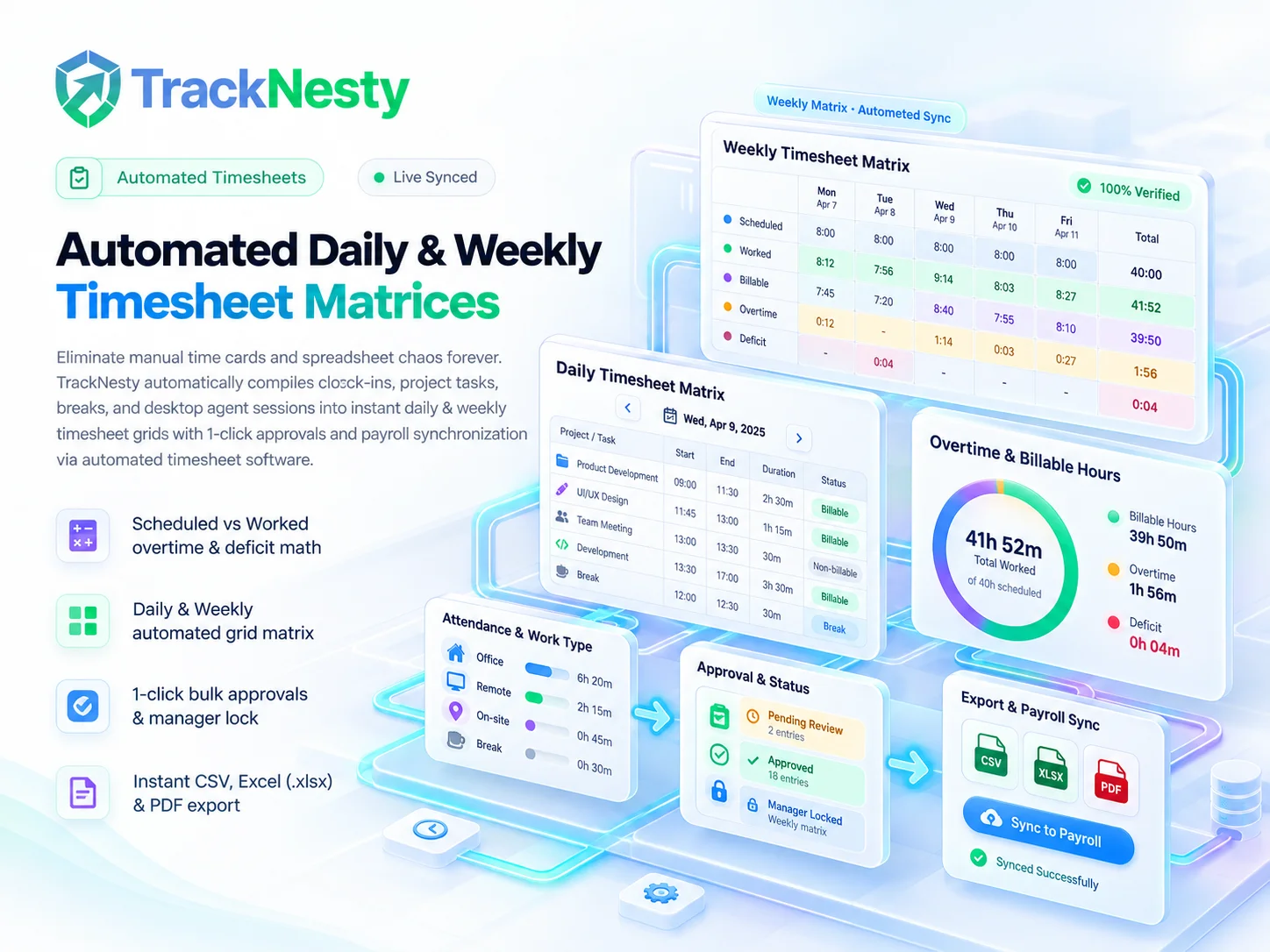
Access live dashboards, review screenshot feeds, eliminate idle time bottlenecks with workforce analytics, and export verified records directly to automated payroll.

Workforce analyticsExport reportsPayroll sync
Team Productivity Score
94.2% verified active rate
Unified PlatformComplete Remote Workforce Platform

Everything your team needs to work better together

Tracknesty brings time tracking, proof of work, shift attendance, and payroll into one unified dashboard. Here is how modern distributed companies run smoother operations every day.

Time & Proof of Work
Desktop Agent Active

Accurate Time Tracking & Proof of Work

Keep every workday simple, transparent, and dispute-free. Our automated employee time tracking lets team members clock in with one click and runs quietly in the system tray. Managers get verifiable proof of work with ethical employee monitoring and automated screen captures, giving clients 100% confidence in billed hours without micromanaging anyone.

Fintech Mobile App Rebuild
04:18:22
Automated Screenshot Proof Preview10m Β· Auto Captured
Privacy Blurred Multi-monitor CapturePrivacy Blur Active
  • One-click timer with lightweight desktop client
  • Fixed or randomized screenshot intervals
  • Dual monitor capture with optional privacy blur
Respectful Insights
Zero Keylogging

Productivity Insights Without Spying

See how your team works best while respecting personal boundaries. Through respectful time and activity tracking, you can measure input velocity to detect workflow roadblocks and prevent burnout. Active software and domains are categorized via employee app & URL tracking, while idle pauses are flagged via idle time tracking softwareβ€”with zero keylogging or webcam spying.

Team Productivity Velocity94.2% Active
Anti-Bypass Guard Active Β· Jigglers Blocked
  • Active vs. idle time (30s to 10m)
  • Productive software & URL filters
  • Hardware jiggler protection
Shifts & Attendance
Hands-Free Clock-In

Automatic Shifts, Attendance & Leave

Say goodbye to messy spreadsheets and late-night attendance check-ins. Tracknesty built-in attendance tracking software automatically logs daily clock-ins, calculates grace periods, marks lateness, and tracks paid time off. Whether you run fixed morning shifts or 24/7 rotational teams, shift scheduling and absence approvals become completely hands-free.

Sarah J.09:00 AM Clock-in
Present
Michael T.09:12 AM Grace Window
Grace Period
David R.PTO Approved
On Leave
  • Auto Present, Late, Half-Day & Absent
  • Shift rules & grace periods
  • 1-click PTO manager review
Budgets & Payroll
AES-256 Cloud Vault

Project Budgets, Analytics & Payroll

Connect daily tracked hours straight to client profitability and payday. Allocate team minutes to deliverables using a visual project time tracker, monitor milestone budget burn in project cost tracking software, and generate itemized client invoices with time tracking invoicing software.

Sprint 4 Budget Burn
$14,280 / $20,000
Payday Settlement
$18,450 βœ“ Ready
14 Members Β· 1-Click PDF Payslips
Direct Deposit Batch #1094
Automated & Verified
  • Task-level budget burn rate & profitability
  • 1-click PDF payslips with overtime math
  • AES-256 cloud archive for audit compliance
  • Multi-currency international payouts
Industry SolutionsRemote Team Management by Industry

Purpose-Built for High-Performance Teams

Discover how operations leads, engineering managers, and agency founders use Tracknesty to eliminate bottlenecks.

High-Volume Shift Seating

BPO & Outsourcing Companies

The dedicated BPO monitoring tool for distributed shift seating

Managing hundreds of agents across rotating shifts and time zones requires absolute proof of work. Tracknesty provides dedicated time tracking for BPO companies with shift scheduling, automated fraud prevention, and reliable captures to meet strict client SLAs.

40%Idle Drop
reduction in unbilled idle gaps
100%Verified
shift attendance audit accuracy
3Γ—Speedup
faster client billing sign-offs
β€œCut our daily shift audit time from 3 hours to 15 minutes across 250 remote agents.”
β€” Head of Ops, CallFirst BPO
tracknesty.com/solutions/bpo
Live Shift Matrix (250 Agents)● 98.4% On Schedule
Agent Seat #042 β€” Tier 2 Escalation24 FPS Stream LIVE
Agent Seat #118 β€” Queue Chat ActiveScreenshot Blurring ON
Slack IntegrationLive Operations Hub for Modern Teams

Turn your Slack into a live operations hub

Keep leadership and managers aligned without switching tools. Tracknesty auto-creates dedicated Slack channels, posts morning roll-calls and evening scorecards, and delivers real-time attendance, leave requests, and idle alerts automatically.

4 Auto-Provisioned Dedicated Channels

Auto-provisions #tracknesty-attendance, #tracknesty-activity, #tracknesty-projects, and #tracknesty-requests.

Automated Attendance & Scorecard Digests

Daily morning shift roll-calls and end-of-day team productivity digests delivered automatically on your custom schedule.

Multi-Workspace Routing (Up to 6 Slack Teams)

Connect multiple Slack workspaces with 1-click OAuth and route departmental notifications without custom webhooks.

Get Started on Team PlanIncluded in Team Plan Β· 1-Click Setup
Acme Corp
Tracknesty App Β· Live
Channels
Reports & Digests
# tracknesty-attendanceTeam Attendance, Clock-In/Out & Pings
T
🟒 Member Clocked In
MemberSarah Jenkins (Sr. Engineer)
Clock-In Time09:02 AM
Status🟒 On-Time
WorkspaceAcme Engineering
Enterprise DefenseBuilt-in Security & Compliance

Built-in Security & Data Privacy Standards

Tracknesty safeguards enterprise data with rigorous application-layer defenses, strict permission matrices, and zero unauthorized third-party telemetry.

HTTP Security Headers (Helmet.js)
Every server response is protected with hardened HTTP security headers, blocking clickjacking, MIME sniffing, and cross-site scripting vulnerabilities.
Secure Session Authentication
User sessions utilize secure HttpOnly cookies with CSRF protection. No access tokens are stored in vulnerable browser localStorage.
Origin-Locked CORS Protection
Strict CORS policies ensure only verified client domains can connect to API endpoints, preventing unauthorized cross-origin requests.
5-Tier Role-Based Access Control
Restrict screenshot views, attendance edits, and billing controls across Team Admins, Admins, Limited Admins, Shared Admins, and Members.
Agent Integrity & Anti-Bypass Protection
The desktop client runs file integrity checks on startup. Mouse jigglers, auto-clickers, and fake activity scripts are detected and flagged immediately.
Isolated Database Storage
Screenshots, activity records, and telemetry are isolated in encrypted database storage β€” never sold or accessible to third parties.
Customer ReviewsVerified Real-World Feedback

Trusted by Remote Operations Leaders

Clear AnswersFrequently Asked Questions & Legal Transparency

Frequently Asked Questions

Clear answers on legal compliance, anti-bypass protection, and remote team management.

What makes Tracknesty the best employee monitoring software for remote teams?
How much does Tracknesty cost?
Is employee monitoring legal and transparent?
How does time tracking with screenshots work?
Can Tracknesty detect mouse jigglers and auto-clickers?
Does Tracknesty include live screen monitoring software?
How does automated attendance software work without manual clock-ins?
How does Tracknesty help employees maintain focus and avoid burnout?
What operating systems does the desktop agent support?
Get Started Free7-Day Free Trial Β· Instant 5-Minute Setup

Ready to Upgrade Your Remote Team Management?

Start tracking productivity, attendance, and screenshots in under 5 minutes with our instant setup.

Start Free 7-Day TrialView Pricing Plans