When managing remote workforces, BPO contact centers, or digital agencies, visual verification is one of the most reliable ways to maintain productivity and client trust. However, business leaders and managers frequently confuse two distinct technologies: Live Screen Monitoring and Screenshot Tracking.
While both tools fall under the umbrella of employee monitoring software, they solve fundamentally different problems, operate on completely different network architectures, and serve distinct business outcomes.
Live Screen Monitoring provides an immediate, continuous view of an employee active computer screen in real time with zero latency. It is built for active supervision, live training, QA spot-checks, and unblocking team members.
Screenshot Tracking captures automated static snapshots at scheduled or randomized intervals (e.g. every 10 minutes) to build an indisputable, permanent audit trail used for timesheet verification, contractor payouts, and client billing defense.
Continuous Real-Time Video
Streams live desktop video with zero delay to observe workflows as they unfold.
- →Instant visibility: Immediate view into active software tasks.
- →Active supervision: Ideal for live QA calls and supervisor coaching.
- →Transient feed: Not permanently stored or cached on servers.
Timestamped Static Records
Automated periodic image captures stored in a chronological proof-of-work archive.
- →Audit evidence: Verifiable paper trail for hourly client billing.
- →Asynchronous review: Supervisors inspect work logs after shifts.
- →Privacy blurring: Automatic masking of sensitive personal text.
What Is Live Screen Monitoring Software?
Live screen monitoring softwareallows authorized team leaders to open a live, real-time video stream of an employee's active computer screen while work is in progress.
Unlike static snapshots that upload in delayed batches, live monitoring functions like a secure, high-resolution direct video broadcast. Using modern WebRTC channels, managers can see mouse trajectories, active window changes, and document formatting with under 100 milliseconds of latency.
Key Strengths of Live Screen Monitoring
- Immediate Operational Support: If a customer service agent is struggling with a complex CRM escalation, a supervisor can quietly drop into the screen stream to guide them without taking over the call.
- Accelerated Remote Onboarding: Junior software developers or junior content writers can be observed during initial assignments, allowing mentors to provide feedback on the spot rather than after errors compound.
- Dual-Monitor Toggling: Managers can switch between Screen 1 and Screen 2 in a single click, ensuring workers using multi-display setups receive seamless guidance.
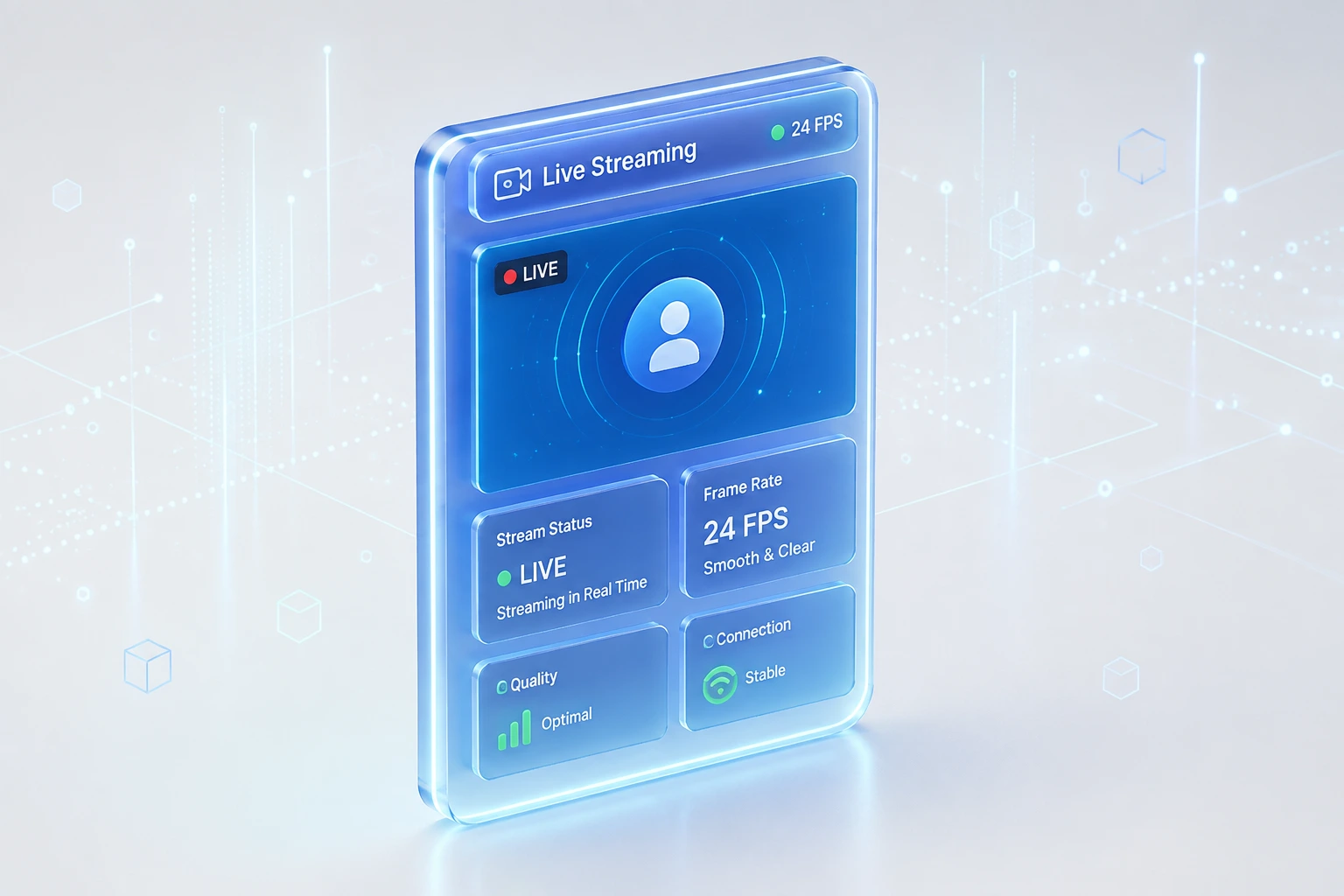
- Zero Lag Broadcast: Tracknesty's client-side agent compresses video frames on the fly, ensuring smooth 24 FPS streaming without slowing down employee applications or gaming the CPU.
Limitations of Live Screen Monitoring
- Requires Synchronous Attention: A manager must be actively watching the stream in real time to benefit from it. It does not automatically generate permanent historical billing cards.
- Not Ideal for Client Invoicing: Clients rarely want a live video stream of a remote worker; they require searchable, exportable proof of hours worked.
What Is Screenshot Monitoring Software?
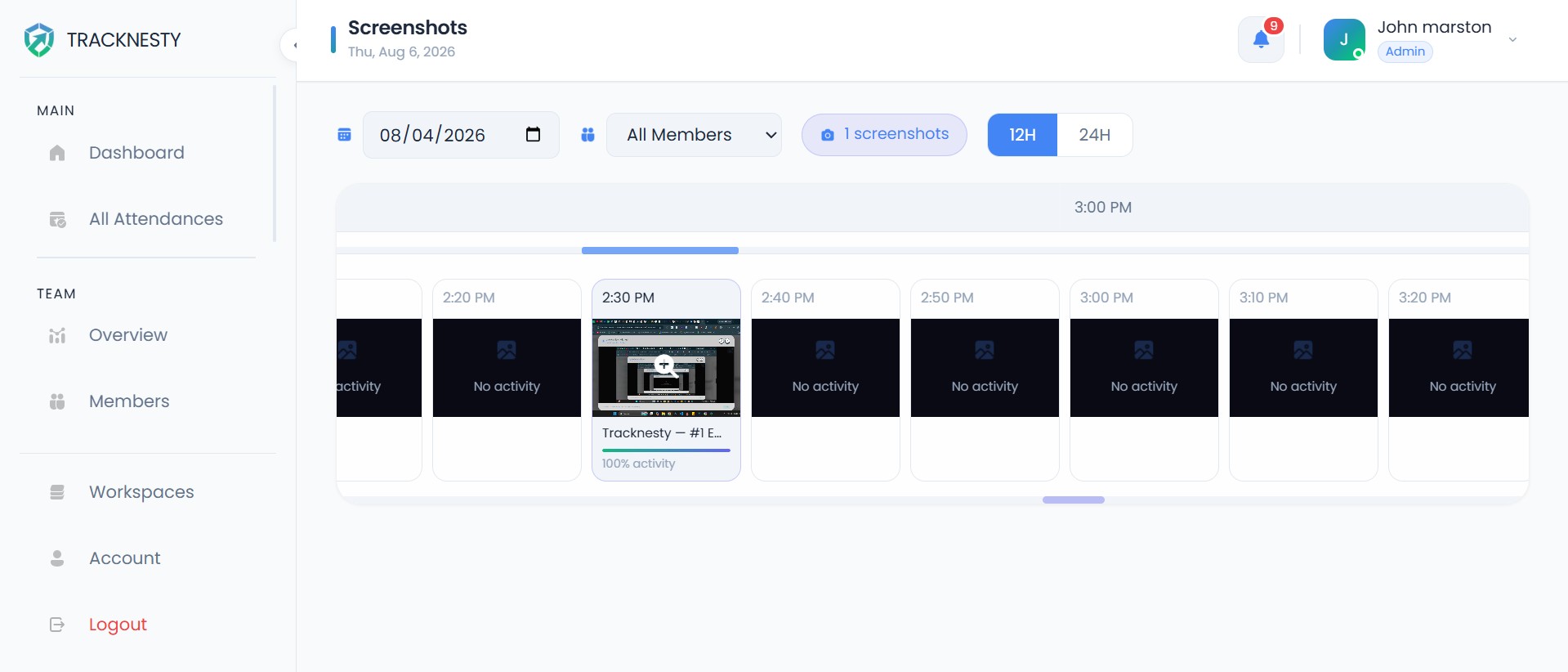
Screenshot monitoring softwarecaptures automated static images of an employee's desktop at predetermined or randomized intervals (typically 1x, 2x, or 3x every 10 minutes) while the work timer is actively running.
Each screenshot is stamped with the precise timestamp, the active project name, the specific task, and the employee's keyboard/mouse activity percentage during that 10-minute block. These captures are compiled into a chronological gallery that functions as an indisputable visual timesheet.
Key Strengths of Screenshot Tracking
- Indisputable Proof of Work: When billing clients on an hourly basis, screenshots provide concrete visual verification that deliverables were actively being produced during billed hours.
- Asynchronous Manager Reviews: Supervisors do not need to sit and watch employees work. They can quickly scan through a grid of 30 screenshots at the end of the day in less than 60 seconds.
- Built-In Privacy Blurring: Tracknesty includes automated privacy blurring for credit card numbers, passwords, and personal messages, ensuring GDPR and HIPAA compliance while preserving proof of activity.
- Permanent Audit Records: Screenshots remain safely stored in the cloud, allowing financial departments and clients to inspect work history months after project completion.
Limitations of Screenshot Tracking
- Delayed Visibility: Screenshots are uploaded in intervals. If an employee gets stuck on an error at 10:02 AM, a manager scanning screenshots won't be able to provide live, instantaneous guidance.
- Potential False Assumptions: A static image only captures a single millisecond. A worker reading a long research document may appear inactive in a single snapshot even if they are deeply focused.
Live Screen Monitoring vs. Screenshot Monitoring: The Technical Matrix
To help you determine which tool matches your operational requirements, here is a detailed side-by-side comparison of both technologies:
| Evaluation Criteria | Live Screen Monitoring | Screenshot Monitoring | Advantage |
|---|---|---|---|
| Capture Format | Continuous 24 FPS live video stream | Static high-resolution image snapshots | Depends on use case |
| Latency & Speed | Real-time (<100ms lag) | Batched (uploaded every 10–30 mins) | Live Monitoring |
| Primary Purpose | Live QA, urgent unblocking & onboarding | Historical audit trail & billable proof | Context-dependent |
| Manager Interaction | Active real-time observation | Asynchronous post-shift review | Screenshots for flexibility |
| Client Invoicing Defense | Transient (no permanent record) | Permanent, itemized visual logs | Screenshot Monitoring |
| Multi-Monitor Support | 1-click live toggle between displays | Simultaneous dual-screen snapshots | Tie (Both Supported) |
| Bandwidth Efficiency | Adaptive stream only when viewing | Ultra-low (compressed webp batches) | Screenshot Monitoring |
| Worker Privacy Control | Terminates instantly on timer pause | Stops on pause + optional data blur | Tie (Strictly Protected) |
Privacy, GDPR & Ethical Considerations
One of the primary concerns for both remote workers and HR departments is workplace privacy. Many employees worry that screen monitoring tools act as covert surveillance spyware.
However, professional tools like Tracknesty are built around consent-based transparency. Understanding how privacy is preserved under both systems is essential for team buy-in:
Neither live screen streaming nor screenshot captures occur when an employee is off the clock. The exact instant an employee clicks "Pause" for lunch, steps away for a personal appointment, or signs off for the day, all background capture hooks disconnect immediately.
Key Privacy Safeguards to Insist Upon:
- 100% Transparent Awareness: Software should never run in stealth or hidden mode. Employees must have a visible taskbar icon indicating when monitoring is active.
- Zero Webcam or Audio Access: Ethical platforms contain zero code to tap into employee laptop cameras or listen through ambient microphones.
- Zero Keylogging: Keystroke logging (recording every letter and password typed) is invasive and a severe security liability. Tracknesty only calculates input velocity (frequency of clicks and typing), never recording actual text characters.
- Employee Review & Deletion Rights: Workers should have the ability to review their own screenshot logs and delete accidental captures of personal windows (which automatically deducts the associated working time).
- GDPR Article 6 Proportionality: Monitoring must be proportionate to legitimate business needs (e.g., verifying client billing or protecting confidential customer records in a call center).
Which Should Your Business Choose?
The choice between live screen monitoring and screenshot tracking depends entirely on your industry, billing structure, and team workflow:
1. Choose Live Screen Monitoring If:
- You operate a BPO or customer call center where supervisors must conduct real-time QA reviews on live customer calls.
- You manage remote software developers or technical support teams where lead engineers need to troubleshoot bugs and unblock teammates via live desktop pair-programming.
- You are onboarding new remote hires and need to provide live coaching during their first 30 days.
- You want to eliminate daily status check-in meetings by allowing team leaders to observe sprint velocity on demand.
2. Choose Screenshot Tracking If:
- You run a marketing agency or creative studio billing clients on hourly retainer contracts.
- You hire remote contractors and freelancers across multiple time zones where asynchronous proof of delivery is required before releasing invoice payments.
- You need a searchable, exportable audit archive that clients can inspect at the end of each billing cycle.
- You want to give remote workers maximum autonomy without requiring continuous supervisor attendance.
The Best Approach: Combining Both with Tracknesty
High-performing remote organizations don't force an artificial choice between live streaming and screenshot archives. They combine both tools into a unified workforce intelligence platform.
With Tracknesty, you get the best of both worlds:
- Automated Screenshots as the Baseline: Capture clean, randomized screenshot milestones with optional blurring to maintain indisputable client billing records.
- On-Demand Live Streaming When Needed: Whenever an escalation occurs or an agent requests immediate assistance, supervisors can launch a zero-lag live stream in one click.
- Anti-Bypass Protection: Built-in heuristic algorithms detect hardware USB mouse jigglers and auto-clickers, ensuring both your screenshot logs and live sessions represent authentic human work.
- Integrated Time & Attendance: Both visual tools feed directly into automated payroll statements, multi-shift attendance rosters, and employee productivity monitoring.
Frequently Asked Questions
What is the main difference between live screen monitoring and screenshot monitoring?
Live screen monitoring streams an employee active desktop in real time with zero delay, allowing managers to observe ongoing tasks immediately for QA and training. In contrast, screenshot monitoring captures automated static snapshots at scheduled intervals (such as every 10 minutes) to build an indisputable, permanent proof-of-work archive for timesheets and client billing.
Does live screen monitoring use a lot of network bandwidth?
Modern live screen monitoring tools like Tracknesty utilize adaptive, low-bandwidth WebRTC streaming protocols that only transmit when a manager actively opens the live stream. This prevents bandwidth consumption during routine work, maintaining zero CPU drag on employee machines.
Is live screen monitoring or screenshot tracking better for client billing?
Screenshot monitoring is superior for client billing and contractor invoicing because it generates permanent, timestamped visual audit records that can be attached to invoices. Live monitoring is transient and designed for immediate supervision, coaching, and escalation handling rather than historical billing defense.
Can employees pause monitoring during lunch breaks or personal time?
Yes. With Tracknesty, both live screen streaming and screenshot captures only operate when an employee intentionally turns their work timer ON. The exact moment the timer is paused for lunch, breaks, or the end of the day, all streaming and capturing stop instantly, guaranteeing 100% personal privacy.
Do live screen monitoring tools record employee webcams or keystrokes?
Ethical productivity platforms like Tracknesty strictly reject covert spyware: they feature zero webcam recording, zero microphone listening, and zero keystroke logging. Monitoring is 100% transparent and restricted solely to active work desktop screens.
Final Verdict: Align the Tool with the Task
Live screen monitoring is an operational coaching and QA tool; screenshot monitoring is an accounting and compliance asset. By selecting a modern platform that offers both under transparent, privacy-first guardrails, your business can foster accountability, elevate client trust, and empower remote staff to do their best work.